Load some data
1
import hotstepper as hs
import pandas as pd
import numpy as np
import matplotlib.pyplot as plt
2
df_data = pd.read_excel('https://raw.githubusercontent.com/TangleSpace/hotstepper-data/master/data/superstore.xls',
                            parse_dates=['Order Date','Ship Date'])
df_data.head()
2
| Row ID | Order ID | Order Date | Ship Date | Ship Mode | Customer ID | Customer Name | Segment | Country | City | ... | Postal Code | Region | Product ID | Category | Sub-Category | Product Name | Sales | Quantity | Discount | Profit | |
|---|---|---|---|---|---|---|---|---|---|---|---|---|---|---|---|---|---|---|---|---|---|
| 0 | 1 | CA-2016-152156 | 2016-11-08 | 2016-11-11 | Second Class | CG-12520 | Claire Gute | Consumer | United States | Henderson | ... | 42420 | South | FUR-BO-10001798 | Furniture | Bookcases | Bush Somerset Collection Bookcase | 261.9600 | 2 | 0.00 | 41.9136 |
| 1 | 2 | CA-2016-152156 | 2016-11-08 | 2016-11-11 | Second Class | CG-12520 | Claire Gute | Consumer | United States | Henderson | ... | 42420 | South | FUR-CH-10000454 | Furniture | Chairs | Hon Deluxe Fabric Upholstered Stacking Chairs,... | 731.9400 | 3 | 0.00 | 219.5820 |
| 2 | 3 | CA-2016-138688 | 2016-06-12 | 2016-06-16 | Second Class | DV-13045 | Darrin Van Huff | Corporate | United States | Los Angeles | ... | 90036 | West | OFF-LA-10000240 | Office Supplies | Labels | Self-Adhesive Address Labels for Typewriters b... | 14.6200 | 2 | 0.00 | 6.8714 |
| 3 | 4 | US-2015-108966 | 2015-10-11 | 2015-10-18 | Standard Class | SO-20335 | Sean O'Donnell | Consumer | United States | Fort Lauderdale | ... | 33311 | South | FUR-TA-10000577 | Furniture | Tables | Bretford CR4500 Series Slim Rectangular Table | 957.5775 | 5 | 0.45 | -383.0310 |
| 4 | 5 | US-2015-108966 | 2015-10-11 | 2015-10-18 | Standard Class | SO-20335 | Sean O'Donnell | Consumer | United States | Fort Lauderdale | ... | 33311 | South | OFF-ST-10000760 | Office Supplies | Storage | Eldon Fold 'N Roll Cart System | 22.3680 | 2 | 0.20 | 2.5164 |
5 rows × 21 columns
All we need as a start is to usually have the data in a Pandas Dataframe. Fun fact, if you set the field type of a datetime field within the dataframe, either with the parse_dates option when reading a file or explicitly using apply pd.to_datetime directly on the field, when you tell HotStepper to use that field as either a start or end step key, Hotstepper will automatically detect the type and set the use_datetime=True flag for you.
For example,
3
sales_orders = hs.Steps.read_dataframe(
        df_data, #the dataframe we will read from
        start='Order Date', #field name of the start keys
        end='Ship Date', #field name of the end keys
        weight='Profit') #field name of the weight or value of each step

sales_orders.using_datetime()
3
True
4
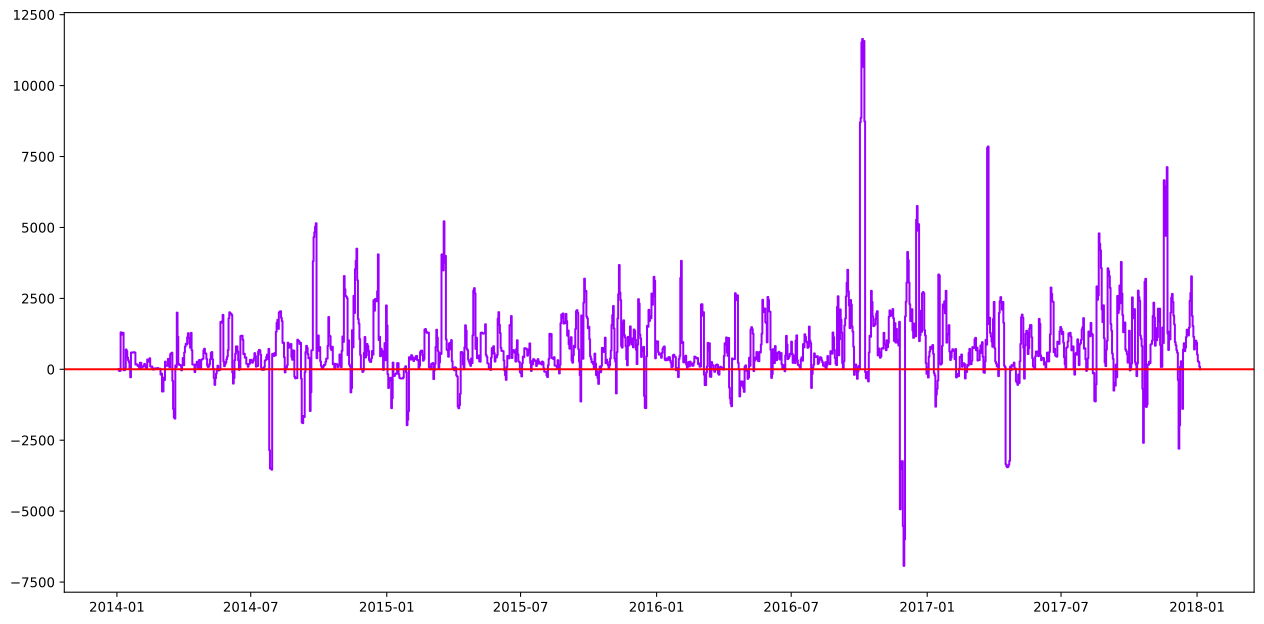
ax = sales_orders.plot()
sales_orders.describe()
4
| Metric | Value | |
|---|---|---|
| 0 | Count | 1434 |
| 1 | Mean | 761.85 |
| 2 | Median | 513.1 |
| 3 | Mode | -6927.35 |
| 4 | Std | 1363.45 |
| 5 | Var | 1859001.89 |
| 6 | Min | -6927.35 |
| 7 | 25% | 140.24 |
| 8 | 75% | 1195.82 |
| 9 | Max | 11642.96 |
| 10 | Area | 26750137.57 |
| 11 | Start | 2014-01-03 00:00:00 |
| 12 | End | 2018-01-05 00:00:00 |
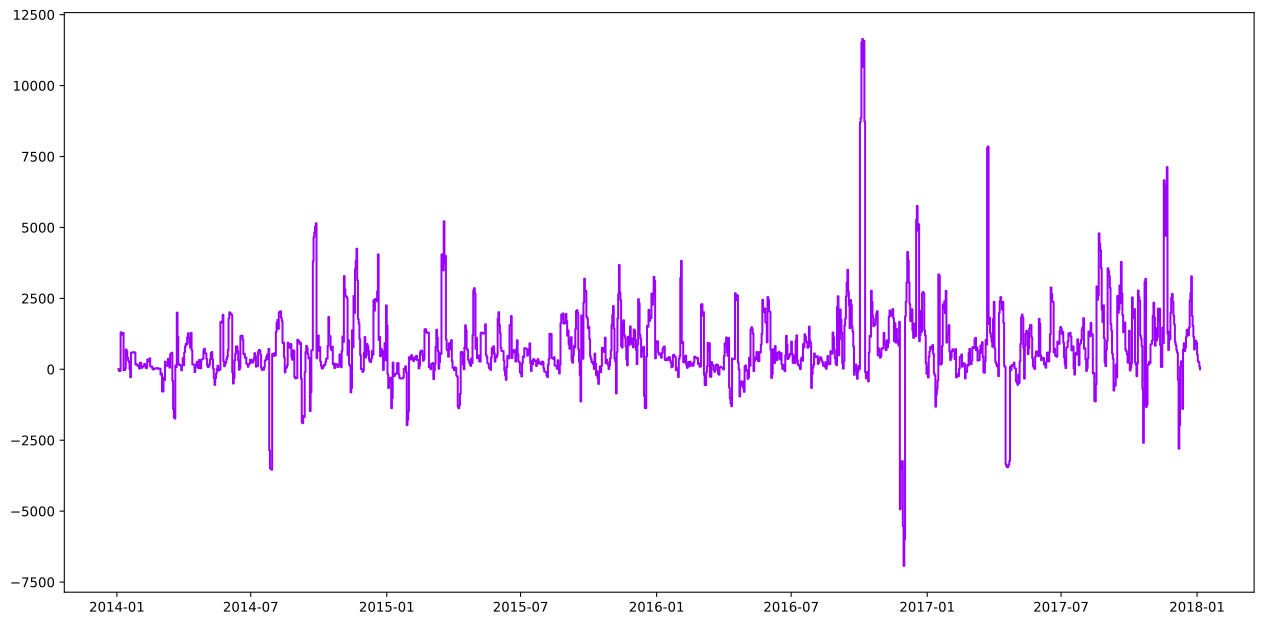
We can also load data into a Steps object a few more ways, let’s go with a raw example and use the read_array method.
5
sales_orders_arr = hs.Steps.read_array(
        start=df_data['Order Date'], #array of values for the start keys
        end=df_data['Ship Date'],    #array of values for the end keys
        weight=df_data['Profit'])    #array of values for the step weights or values

ax = sales_orders_arr.plot()
ax.axhline(0,color='r');